Wibble: An RSS TUI
May 14, 2026 · 4 min readThis post is because Google killed Google Reader 13 years ago. I’m not bitter.
With that out of the way, let’s move on. Since Google Reader, I’ve mainly been using Feedly. But 6 months ago, I switched over to Newsboat - A CLI application. This was mainly for two reasons:
- Being more in control of my own data.
- Wanting to have my news in my terminal.
Probably in that order actually. Newsboat is a lovely, feature rich application. I had one nitpick:
- My OS appearance changes from light to dark mode throughout the day. Ghostty takes this onboard, newsboat does not. So the theming was a little awkward.
Since I can code, and love building CLI applications, I took a punt.
I wanted the following:
- A modern UI, that allowed theming.
- Management of the application should configuration files so I can save them to my dotfiles repo.
- The use of vim keybindings, with the aim to allow users to override this.
The result is Wibble - a simple Terminal User Interface (TUI) for RSS feeds, written in Go.
The name. Yes, well, it needed a name, and reading the news nowadays feels like madness. Edmund Blackadder sums that up really well in Blackadder Goes Forth, when he says “Wibble”. So I thought that was a fitting name for an RSS reader in 2026.

Why a TUI RSS reader?
I blog a lot about the fact I’m terminal based, all running in tmux. It felt natural to copy the newsboat vibe, and have a TUI. I can style this the way I want, and allow others to define the theme they want. Wibble is using SQLite as the datastore, so it’s easy to backup.
There are no hosting costs, as it all runs neat and tidy on my machine.
The best thing - No phone application, no doom scrolling the bleak news late at night. It’s a plus, believe me.
What can Wibble do?
Wibble is deliberately simple. The feature set covers what I need day-to-day:
- Register feeds via a YAML configuration file - no UI for adding feeds, just edit the config file.
- Mark articles as read either individually, or for an entire feed.
- Open an article in the browser when you want the full thing.
- Modal article summary - read a quick summary without leaving the terminal.
- Full colour theming - every colour used in the UI can be overridden via the config file.
- Auto-refresh every 10 minutes by default, configurable to whatever interval suits you.
Without a doubt, right now, it is not as feature rich as newsboat. But I don’t miss any of those features, and have been using this consistently now for 2 weeks.
Getting started
Clone the repository and build:
git clone https://github.com/benmatselby/wibble.git
cd wibble
make build
Wibble requires Go 1.26+. Once built, run ./wibble --help to see where it expects the configuration file to live. You can also point it at a custom location with the --config flag.
The configuration file is YAML and is where you register your feeds. There are example configs in the docs/examples/ directory to get you started.
One day, I’m hoping to set up binary releases, so you won’t even need Go installed to build the application yourself.
Theming
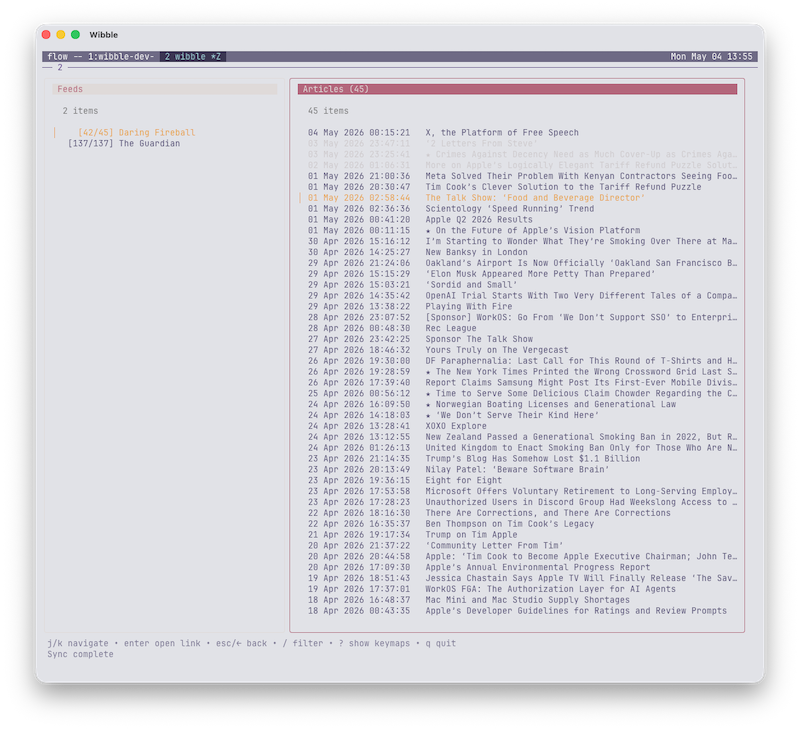
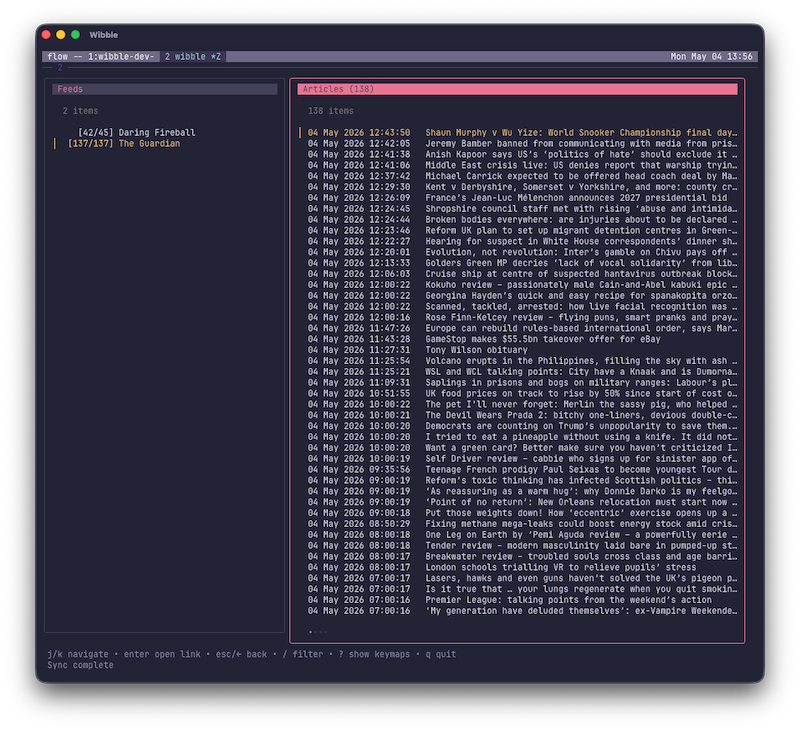
One thing I wanted from the start was the ability to make the UI feel at home in whatever terminal theme I’m using. Every colour in Wibble can be overridden, and the repo ships with several ready-made themes: Nord, Gruvbox, Rose Pine, Solarized, Delek, Desert, Elflord, Peachpuff, and a standard default.
Here’s how it looks with Rose Pine Day:
And Rose Pine Night:
What’s next?
The code is all on GitHub at benmatselby/wibble. If you try it out and something is missing, feel free to open an issue.
I’m wanting to:
- Provide a
cleancommand so it can remove redundant feeds if not in the config file. - Allow you to trim the records stored in the database in some way.
I’m pretty happy with what I have so far, it feels clean, snappy, and does what I need.